


























Chrome OS for Laptops offers a fast, secure, and incredibly simple computing experience. This cloud-first operating system has transformed from a basic browser into a powerhouse. Many users now prefer it over traditional systems for daily tasks. It provides seamless integration with Google services and long battery life. Whether you are a student or a pro, Chrome OS for Laptops delivers consistent performance. In this research summary, we explore its evolution and market impact. We will also dive into the features making it a top choice.
The Vision: Conception, Development, and Launch
Google first announced the Chrome OS project in July 2009. They aimed to rethink what an operating system should be. The goal was speed, simplicity, and security for the modern web.
2009: Google unveiled the open-source Chromium OS project.
2010: The unbranded Cr-48 pilot program began testing hardware.
2011: Samsung and Acer launched the first commercial Chromebooks.
2016: Support for Android apps brought millions of new tools.
2021-2024: Massive growth occurred during the remote work era.
2025-2026: Deep Gemini AI integration became the new standard.
Closing the Gap: Rivaling Microsoft’s Dominance
Microsoft Windows still leads the global desktop market. However, Chrome OS is rapidly catching up in specific sectors. It now holds over 1.7% of the global market share. In the US education sector, it commands nearly 90% of the space. It wins by being affordable and very easy to manage. Businesses are also switching to Chrome OS for Laptops to reduce IT costs. The system updates itself without interrupting the user’s flow.
Innovative Features of Chrome OS for Laptops
1. Verified Boot and Sandboxing
The system checks for corruption every time it starts up. Each app runs in its own isolated “sandbox” environment. This prevents viruses from spreading to the rest of the system.
2. Gemini AI Integration
New “Chromebook Plus” models feature built-in AI tools. You can summarize long PDFs or generate images instantly. It helps you write emails and plan projects with ease.
3. Multi-Platform App Support
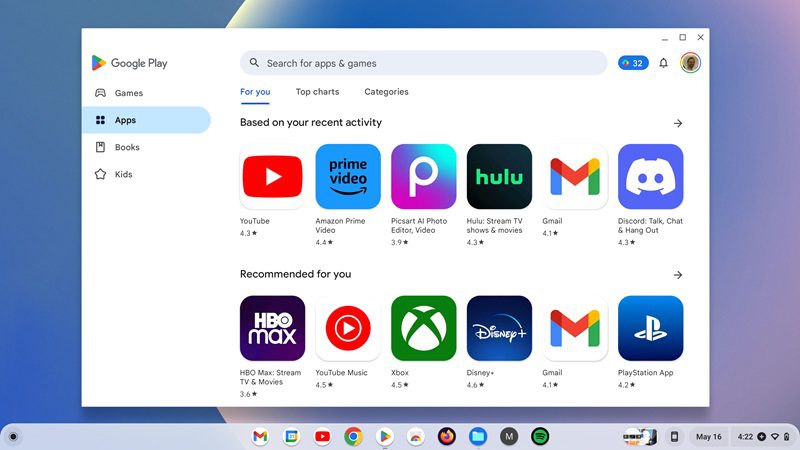
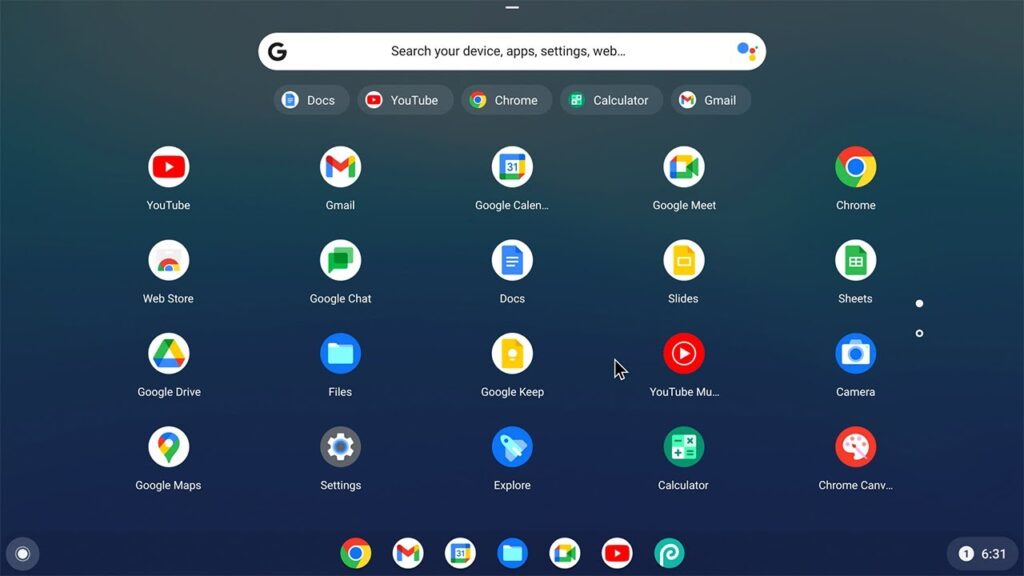
You are no longer limited to just web pages. It runs Android apps, Linux software, and Progressive Web Apps. This flexibility makes it a true “do-it-all” machine.
4. Smart Phone Hub
Your laptop and Android phone work as one unit. You can see phone notifications and reply to texts. It even lets you share your phone’s internet with one click.
Tailored for Everyone
For Professionals: Secure cloud access and Linux support allow for coding and data management. It is perfect for remote teams using Google Workspace.
For Students: Fast boot times mean you never miss a lecture. The lightweight design is easy to carry between classes.
For Common People: Browsing, streaming, and social media are lightning-fast. It is the best choice for those who want a “no-fuss” computer.
Performance Review: Pros and Cons
Research shows that Chrome OS for Laptops excels in speed. Most devices boot in under 10 seconds. Since it is lightweight, even older hardware feels brand new.
| Pros | Cons |
| Extreme security with no antivirus needed. | Limited offline functionality for some apps. |
| All-day battery life (often 10+ hours). | Not ideal for high-end video editing. |
| Automatic updates every 4–6 weeks. | Dependence on the Google ecosystem. |
| Very affordable hardware options. | Fewer specialized “legacy” software options. |
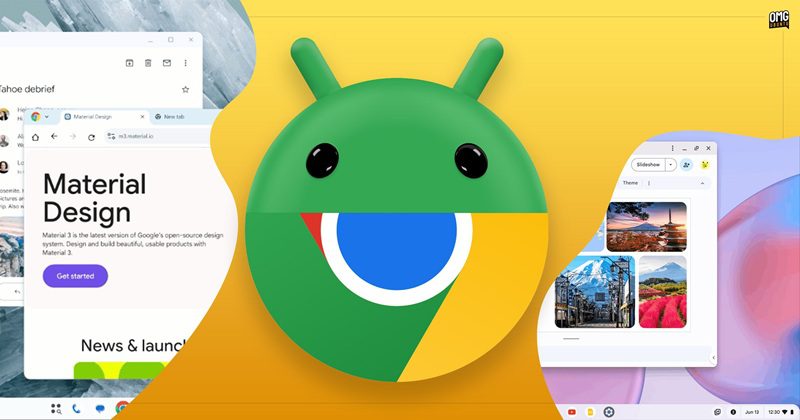
Grand Plan: Chrome OS Mergert into the Android ecosystem
The tech world is buzzing with a massive shift: Google is officially merging Chrome OS for Laptops into the Android ecosystem. This project, internally codenamed “Aluminium,” marks the end of an era for the standalone browser-based OS. By 2026, we expect to see the first wave of devices running this unified, AI-heavy platform.
Conclusion
Chrome OS for Laptops has matured into a robust platform. It bridges the gap between simple browsing and professional productivity. While it may not replace a gaming rig yet, it is perfect for 90% of users. The future looks bright as AI continues to enhance the experience.
Frequently Asked Questions About Chrome OS
Q: Is Chrome OS for Laptops good for offline work?
A: Yes, many apps like Google Docs and Gmail work offline. You can also save files locally to your drive.
Q: Can I run Microsoft Office on Chrome OS for Laptops?
A: Absolutely. You can use the web versions of Word and Excel. You can also install the Android versions for better access.
Q: Are Chrome OS for Laptops safe from viruses?
A: They are incredibly safe due to built-in sandboxing. Most users never need to install traditional antivirus software.
Q: How long do Chrome OS for Laptops receive updates?
A: Most modern devices now get up to 10 years of updates. This makes them a great long-term investment.
Q: Can I use a printer with Chrome OS for Laptops?
A: Yes, it supports most modern Wi-Fi and USB printers easily. You can manage them through the settings menu.
Q: Is Chrome OS for Laptops better than Windows?
A: It depends on your needs. It is faster and more secure for web-based tasks. Windows is better for specialized local software.
What do you think? Are you ready to make the switch to a cloud-first laptop? Share your thoughts in the comments below!
For more Technology updates, click here
#ChromeOS #Chromebook #TechReview #Google #CloudComputing #FutureOfTech #LaptopLife #ChromeOSForLaptops